Introduction: Can You Game With One Hand While Holding a Child?
Have you ever stared at your controller in one hand while cradling a sleeping child in the other and wondered, “Can I really play like this?” At first, it seems impossible. Gaming usually requires both hands, careful precision, and full focus—but parents know reality often demands creativity, flexibility, and improvisation.
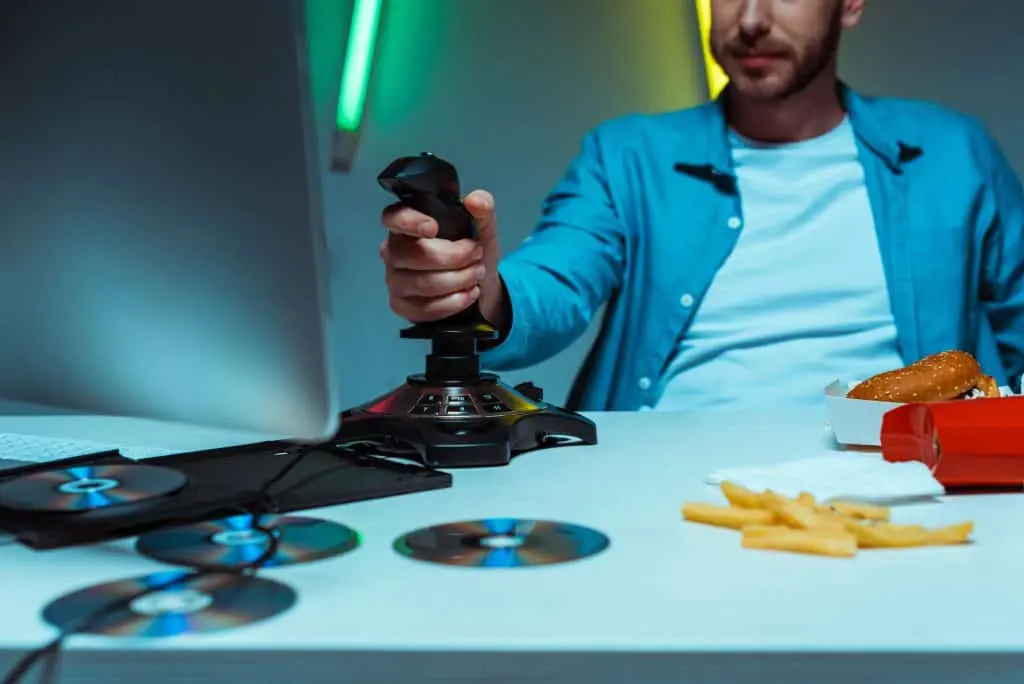
With the right one-handed gaming setup for parents, you can continue enjoying your favorite games without waking your little one. This isn’t just about convenience—it’s about reclaiming personal time, stress relief, and maintaining hobbies while parenting.
In this article, we’ll explore:
- The best controllers and gear for one-handed play
- Games that are perfect for single-hand setups
- Ergonomic strategies for comfort and safety
- Tips, personal insights, and practical setups for every parent
By the end, you’ll see that gaming while holding a child isn’t just feasible—it can be both immersive and rewarding.
Understanding One-Handed Gaming
What Is One-Handed Gaming?
One-handed gaming involves playing video games using only one hand. Originally developed for accessibility purposes, it’s now widely adopted by:
- Parents holding infants
- Individuals with temporary injuries or disabilities
- Multitaskers who want to game while doing other activities
A successful one-handed gaming experience requires:
- Simplified or remapped controls
- Ergonomic or adaptive controllers
- Game selection compatible with single-hand input
By focusing on these elements, parents can maintain full control over the game while keeping their baby comfortable.
Why One-Handed Gaming Matters for Parents
Parenting is physically and mentally demanding. Sleep deprivation, feeding schedules, and constant attention to your child can make leisure activities seem impossible. Gaming is not just entertainment—it’s a way to unwind, connect socially, and even boost problem-solving skills.
A one-handed gaming setup for parents allows multitasking: you can hold your baby, enjoy immersive games, and create a sense of personal freedom without compromising your child’s safety or sleep.
Choosing the Right Controller for One-Handed Play
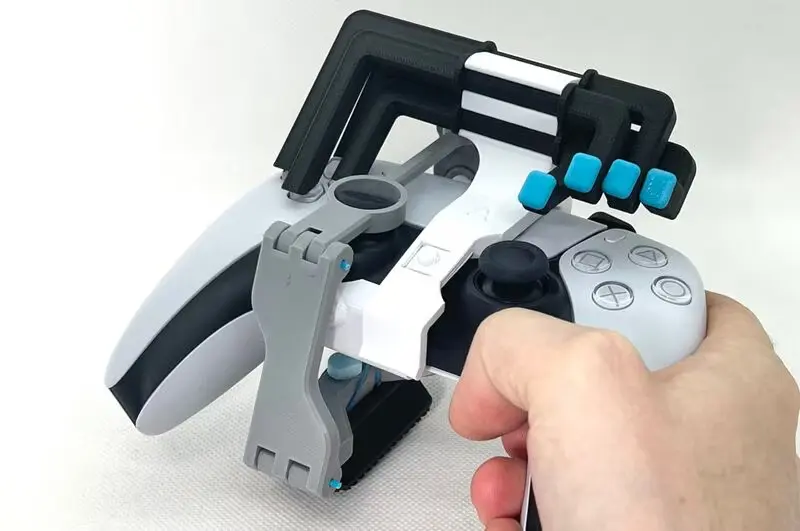
Adaptive Controllers: The Game-Changer
Modern adaptive controllers are designed for accessibility but are perfect for parents gaming one-handed. Features include:
- Programmable buttons for complex commands
- Modular layouts for customization
- Ergonomic grips to reduce hand fatigue
Popular options include:
- Microsoft Xbox Adaptive Controller: Fully modular, compatible with foot pedals, switches, and external devices.
- Logitech G Adaptive Keypad: Compact, programmable, and ideal for strategy or simulation games.
- Custom foot pedal integrations: Shifts actions from your hand to your feet, freeing your hand for the controller.
Adaptive controllers make the one-handed gaming setup for parents practical, efficient, and enjoyable for longer sessions.
Evaluating Comfort and Ergonomics
When holding a baby, wrist strain and arm fatigue are real concerns. To reduce discomfort:
- Use controllers with soft grips and light resistance
- Position chairs at the correct height with supportive cushions
- Utilize lap trays or strap mounts to stabilize smaller controllers or mobile devices
A setup that prioritizes ergonomics ensures that both you and your baby are safe and comfortable.
Best Games for One-Handed Play
Ideal Game Types
Not all games are suitable for one-handed play. Ideal choices emphasize:
- Turn-based mechanics: Strategy and RPGs allow time to make decisions without reflex pressure
- Slower-paced games: Simulation, farming, or city-building games reduce the need for rapid input
- Simplified controls: Platformers or casual mobile games work well
Top Game Recommendations
- Stardew Valley: Farm, fish, and manage resources at your own pace
- Civilization VI: Turn-based strategy that lets you plan without time pressure
- Among Us: Casual, social deduction game requiring simple mobile input
- Animal Crossing: New Horizons: Relaxed, open-ended gameplay ideal for parents multitasking
- The Sims 4: Build and manage households, a low-stress game perfect for single-handed play
Setting Up Your One-Handed Gaming Station
Ergonomics First
- Use a chair with firm armrests
- Place a pillow on your lap to support the baby’s weight
- Adjust monitor height to reduce neck strain
Controller Placement
- Keep your controller within reach of your dominant hand
- Use programmable buttons to assign essential functions
- Lap trays or small tables stabilize devices like tablets or keypads
Lighting and Environment
- Dim lights to maintain a calm atmosphere
- Use soft ambient sounds to avoid startling the baby
- Keep gaming headphones at a reasonable volume to monitor the child
Tips for Maintaining Focus While Gaming
- Play during predictable nap times
- Keep sessions short (15–30 minutes)
- Use easy saves or pause features for flexibility
- Prioritize mindful, slower-paced games
- Minimize distractions with water, snacks, and controller accessibility
Advanced Adaptive Setups
Foot Pedal Integration
- Adds extra inputs for single-hand play
- Useful for complex games like shooters or strategy titles
Hybrid Keypad + Controller Systems
- Assign macro commands to a single thumb
- Combine foot pedals and keypads for full control
Mobile Device Configurations
- Use tablet holders or lap trays to free your hand
- Remap controls for one-handed input
- Tap, swipe, or tilt mechanics simplify gameplay
Challenges and Solutions
| Challenge | Solution |
|---|---|
| Arm fatigue | Use pillows, lap cushions, or armrests |
| Controller slipping | Add grip tape or padding |
| Baby wakes up | Lower volume, use headphones, choose slow-paced games |
| Complex game mechanics | Map essential functions to one hand, use foot pedals or keypads |
Personal Insight: Why This Setup Works
From observing parents gaming with infants, a key insight emerges: reducing friction is more important than replicating full-speed gameplay. One-handed setups encourage mindfulness, slower, more thoughtful decision-making, and appreciation of small victories.
Many parents find that strategy, simulation, and casual games become more immersive because they focus on choices, planning, and creativity rather than fast reflexes. A one-handed gaming setup for parents doesn’t just make gaming possible—it transforms it into a calming, rewarding experience.
Conclusion: Gaming Doesn’t Require Two Hands
A well-planned one-handed gaming setup for parents allows you to enjoy immersive gameplay, keep your child safe, and maintain personal time. With adaptive controllers, ergonomic support, and carefully chosen games, you can reclaim your hobby without compromise.
This approach turns gaming into a practical, stress-relieving hobby, showing that you don’t need two hands to enjoy meaningful, rewarding play.
FAQs
FAQ 1: What is a one-handed gaming setup for parents?
It’s a configuration using adaptive controllers, ergonomic setups, and compatible games to allow gaming with one hand while holding a child.
FAQ 2: Which games are best for one-handed play?
Turn-based strategy, simulation, and casual mobile games are ideal for single-hand control.
FAQ 3: Are adaptive controllers necessary?
Not mandatory, but they greatly improve comfort, accessibility, and gameplay efficiency.
FAQ 4: How can I avoid arm fatigue while gaming?
Use cushions, armrests, lap trays, and lightweight controllers for support.
FAQ 5: Can mobile gaming be adapted for one-handed play?
Absolutely. Many mobile games support tap, swipe, or tilt controls suitable for single-hand input.
FAQ 6: How long can I safely game while holding a baby?
Short sessions of 15–30 minutes are ideal, with breaks for comfort and monitoring.