Should you really build a local multiplayer arcade on one PC? At some point, every game-loving household asks this question. If you have ever tried to host a game night where half the fun is lost to setup delays, controller pairing issues, or arguments over whose turn it is, you already understand the frustration.
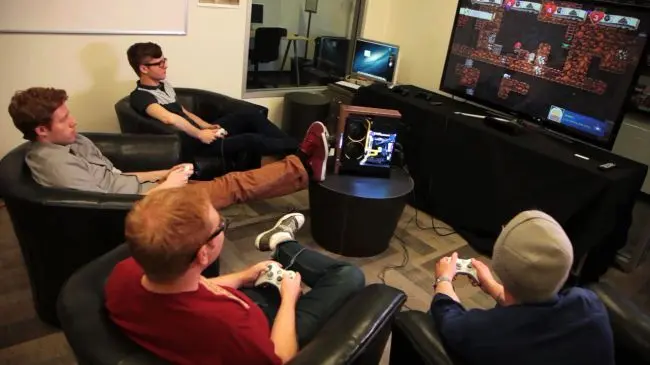
This is where building a local multiplayer arcade on one PC quietly becomes one of the smartest entertainment decisions you can make.
The unique angle of this guide is simple but often overlooked: a single PC-based arcade is not just a cheaper alternative to consoles. It is a more scalable, flexible, and future-proof way to create shared gaming experiences that grow with you.
The Big Question: Should You Build Your Own Arcade System?
This is one of the most searched questions when people explore arcade setups, and for good reason. Building anything custom sounds complicated.
The reality is far simpler. If you already own a mid-range Windows PC, a TV or monitor, and at least two controllers, you are already more than halfway toward building a local multiplayer arcade on one PC.
Unlike buying multiple consoles, subscriptions, and proprietary controllers, a PC arcade centralizes everything into a single system that supports multiple players and endless upgrades.
What Is a Windows Arcade Build?
A Windows arcade build is a PC configured to behave like a living-room console rather than a traditional desktop computer.
Instead of booting into Windows icons and folders, your system launches directly into a game-focused interface designed for controller navigation.
- Controller-only navigation
- Centralized game library
- Local multiplayer prioritization
- Couch-friendly interface
This setup forms the foundation of building a local multiplayer arcade on one PC because Windows offers unmatched compatibility with both modern and classic games.
What Games Can You Run on a Windows Arcade System?
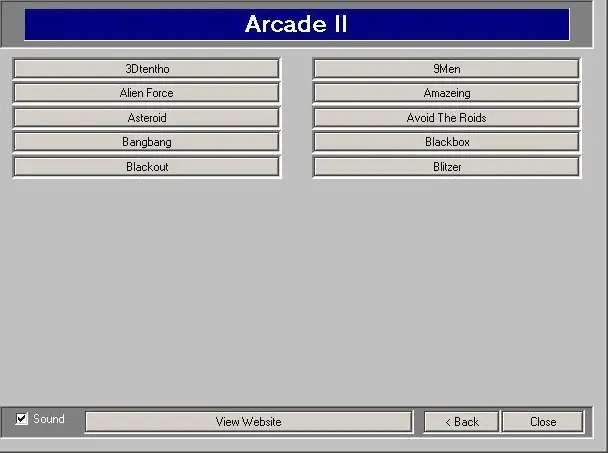
One of the biggest advantages of a PC-based arcade is game variety. You are not locked into one generation or one store.
Modern Local Multiplayer PC Games
These games are built specifically for shared-screen play:
- Overcooked
- Cuphead
- Gang Beasts
- Duck Game
- TowerFall Ascension
- Moving Out
Retro Arcade and Console Games
Through emulation, your system can run classic arcade and console titles:
- Arcade cabinet classics
- NES, SNES, Sega Genesis
- PlayStation 1 and 2
- Nintendo 64 and GameCube
This is where building a local multiplayer arcade on one PC truly stands out. One machine becomes decades of multiplayer history.
Controllers: The Most Important Hardware Choice
Many people search for how to connect multiple controllers to one PC, assuming it is difficult. In reality, Windows handles this extremely well.
Recommended Controller Options
- Xbox controllers (wired or wireless)
- PlayStation controllers via Bluetooth or USB
- USB arcade sticks for authentic builds
Windows supports up to eight controllers at once, although most games cap active players at four.
Wired vs Wireless Controllers
- Wired: No batteries, zero latency
- Wireless: Cleaner setup, more movement freedom
Many successful arcade builds use a mix of both.
Game Launchers: Turning a PC into an Arcade
A launcher is what separates a PC from a true arcade experience.
A good launcher replaces the Windows desktop and organizes games into a clean, controller-friendly interface.
Popular Launcher Options
- Steam Big Picture Mode
- Playnite
- RetroArch for emulation-heavy builds
Once configured, your PC feels like a dedicated arcade cabinet. Guests never see Windows.
The Hidden Advantage: Scalability and Longevity
Here is something most guides fail to mention. Consoles age. Arcade cabinets are fixed. A PC arcade evolves.
When you upgrade RAM, replace a GPU, add controllers, or install new games, your arcade grows instead of becoming obsolete.
This is why building a local multiplayer arcade on one PC often becomes the long-term favorite choice for households and party hosts.
Choosing Games That Actually Work at Parties

Not every multiplayer game is suitable for parties. The best arcade-style party games share a few traits.
- Short match durations
- Simple controls
- High chaos or cooperative gameplay
Great party-friendly choices include Stick Fight, SpeedRunners, Bomberman-style games, platform fighters, and co-op brawlers.
Audio, Display, and Room Setup
An arcade is more than software.
Display Tips
- Use a large TV or projector
- Enable game mode to reduce input lag
- Lock resolution to avoid scaling issues
Audio Tips
- External speakers or soundbars outperform TV audio
- Balance volume for conversation and excitement
Common Mistakes to Avoid
- Using too many launchers
- Ignoring controller mapping early
- Choosing games without local multiplayer
- Overcomplicating menus
Simplicity keeps the party moving.
Why One PC Beats Multiple Consoles
Multiple consoles mean multiple purchases, separate game libraries, and hard player limits.
Building a local multiplayer arcade on one PC consolidates everything into one system with one upgrade path and unlimited theme nights.
The Emotional Payoff of Local Multiplayer
Beyond hardware and software, local multiplayer creates something deeper: shared memories, real-time reactions, and genuine human connection.
In an online-first world, a one-PC arcade brings people back into the same room, and that is its greatest strength.
Conclusion: The Smartest Way to Do Local Multiplayer
If your goal is endless party nights, flexibility, and maximum value, building a local multiplayer arcade on one PC is not a niche hobby. It is a practical, future-proof solution.
It scales better than consoles, lasts longer than fixed arcade cabinets, and delivers multiplayer gaming the way it was meant to be experienced.
Frequently Asked Questions
How many players can one PC support?
Most PCs support four to eight controllers, depending on the game and setup.
Do I need a high-end gaming PC?
No. Many local multiplayer and arcade games run smoothly on mid-range systems.
Is Windows the best OS for an arcade build?
Yes. Windows offers the widest compatibility and controller support.
Can I mix modern and retro gamdes?
Yes. This is one of the biggest advantages of a PC-based arcade.
Is it cheaper than buying consoles?
Over time, yes—especially when upgrades replace full system replacements.