Category: CCTV Surveillance Systems installation

  • Best Night Vision Security Cameras for Home and Business

    Introduction

    Why Night Vision Security Matters

    Night vision security camera, ever tried watching a security feed at night that looks like a 90s horror film? Yeah, not helpful. Night vision changes the game. Whether you’re guarding your home or business, you need eyes that don’t blink after dark.

    Home vs. Business Needs

    Home Sweet Secure

    For home, you’re mostly protecting family, pets, and packages. A simple setup with mobile alerts and crisp night vision will do the trick.

    Business Boundaries

    For businesses, it’s more serious think inventory, employee safety, and liability. You’ll want a system with advanced features like license plate capture and multiple camera support.

    What Makes a Great Night Vision Camera?

    • Infrared (IR) Technology
      The backbone of night vision. IR LEDs light up the darkness without being seen.
    • Color Night Vision
      Want to see the red hoodie your thief was wearing? Look for cameras with full-color night vision.
    • Resolution Matters
      1080p is decent. 2K or 4K is ideal, especially for zooming in on faces or plates.

    Top Features to Look For

    Motion Detection

    Smart alerts that ping your phone? Yes, please.

    Two-Way Audio

    Talk back to intruders or yell at your dog to stop digging.

    Wide-Angle Lens

    Covers more ground with fewer cameras.

    Weatherproof Design

    For outdoor cameras, rain and snow should be a non-issue.

    Best Budget Night Vision Camera

    Wyze Cam v3

    Wyze Cam v3
    Wyze Cam v3

    The Dark Charms: Unpacking Korean Actors Who Mastered Iconic Villains Roles


    Cheap, reliable, and shockingly good night vision. Works indoors and outdoors.

    Best for Business Use

    Arlo Pro 5S 2K

    Arlo Pro 5S 2K
    Arlo Pro 5S 2K


    Secure cloud storage, crystal-clear resolution, and smart integration make it perfect for shops or offices.

    Best Fitness Bands for Runners and Athletes

    Best for Smart Homes

    Google Nest Cam (Battery)

    Google Nest Cam (Battery)
    Google Nest Cam (Battery)

    The Male Beauty Standards Nobody Talks About: Are Men the Silent Victims?


    Seamless with Google Assistant. Offers great night footage and smart notifications.

    Best Outdoor Option

    Reolink Argus 3 Pro

    Reolink Argus 3 Pro
    Reolink Argus 3 Pro


    Built like a tank. Plus, it has color night vision and solar charging.

    Why Nigerian Parents Still Don’t Understand Mental Health — And What’s Changing

    Best Indoor Night Vision

    Eufy Indoor Cam 2K

    Eufy Indoor Cam 2K
    Eufy Indoor Cam 2K


    Sharp video, pet detection, and works great for keeping an eye on kids or elderly family members.

    Night Vision: Black and White vs. Color

    Black and white gives you clarity, but color shows you details. Choose based on what matters most faces or features?

    Wired or Wireless?

    • Wired: Better for big setups and reliability.
    • Wireless: Easier install, perfect for home users.

    Storage: Cloud vs. Local

    Cloud is convenient. Local (SD card or NVR) gives you more control and avoids fees.

    Apps and Remote Access

    If it doesn’t come with a solid app, it’s a deal-breaker. You need to check footage anytime, anywhere.

    Final Thoughts

    Whether you’re protecting your cozy home or a growing business, night vision security cameras are a must. Pick one that fits your space, needs, and budget. Sleep better knowing you’re always watching even when the lights are out.

    FAQs

    1. Can night vision cameras record in total darkness?
    Yes! IR night vision lets cameras record in complete darkness using invisible infrared light.

    2. What’s the difference between IR and color night vision?
    IR gives black-and-white footage. Color night vision uses ambient light or built-in spotlights to show full color.

    3. Do night vision cameras work through windows?
    Not well. The IR light reflects off the glass. For indoor-to-outdoor views, turn off IR or use external lighting.

    4. Are wireless night vision cameras reliable?
    Very. Modern ones offer strong connections, especially with mesh Wi-Fi. Just keep them charged or plug them in.

    5. Do I need internet for night vision cameras to work?
    For remote viewing and cloud storage, yes. But local storage can work without internet.

  • How to Secure Your Surveillance System from Hackers

    How to Secure Your Surveillance System from Hackers

    Introduction

    Ever thought your home security cameras might actually be spying on you? Yeah, it’s a real concern. If your surveillance system isn’t secured, hackers can easily snoop, manipulate, or steal footage. But don’t panic this guide is here to help you lock things down like a digital fortress.

    Why Hackers Target Surveillance Systems

    Security camera hacked
    Security camera hacked

    Easy Access, Big Payoff

    Most people set up their cameras and forget about them. Hackers love that. Unchanged default settings? Jackpot.

    Common Vulnerabilities You Might Overlook

    Weak Passwords

    Still using admin123? You’re basically handing over your camera feed.

    Outdated Firmware

    Hackers exploit old software like it’s a goldmine.

    Unencrypted Data

    If your footage travels unencrypted, it’s like sending postcards anyone can read them.

    Choosing the Right Surveillance System

    Built-in security feature
    Built-in security feature

    Look for Built-in Security Features

    Go for brands that prioritize encryption, two-factor authentication, and secure app control.

    Avoid Cheap Knockoffs

    They may look like a deal but often come with zero protection.

    First Things First: Change Default Logins

    Make It Unique

    Use a long, weird mix of letters, numbers, and symbols.

    Never Reuse Passwords

    Use a different password for your cameras than your Netflix.

    Update Firmware Regularly

    Set a Reminder

    Think of it like brushing your teeth. Regular maintenance prevents major problems.

    Use Two-Factor Authentication

    What’s 2FA Anyway?

    It adds a second layer of protection. Even if hackers get your password, they still need your phone or email.

    IoT Applications in Metal Fabrication Industry for Predictive Insights

    Set Up a Secure Network

    Use a Strong Wi-Fi Password

    Ditch “12345678.” Your Wi-Fi is the gateway to your whole smart system.

    Hide Your Network

    Turn off SSID broadcasting so random folks can’t even see your Wi-Fi.

    Best Fitness Bands for Runners and Athletes

    Enable End-to-End Encryption

    Why It Matters

    It means only you (and no one else) can view your footage. Total privacy.

    Turn Off Remote Access When Not Needed

    Less Exposure, Less Risk

    Only enable remote viewing when you’re away and really need it.

    Regularly Review Access Logs

    Know Who’s Watching

    Check who accessed your system and when. If something looks fishy, act fast.

    Set Up User Permissions

    Don’t Share Full Access

    Give limited access to family or roommates not admin control.

    Avoid Public Wi-Fi

    Don’t Monitor Cameras Over Public Hotspots

    Hackers can sniff out your login details like a bloodhound.

    Use a VPN for Remote Access

    Added Layer of Security

    A VPN hides your IP and encrypts your connection, making it harder to trace or hijack.

    AI Algorithms for Automating Equipment Calibration Processes

    What to Do If You’re Hacked

    Act Fast

    Change passwords, disable access, and contact your system’s support ASAP.

    AI-Powered Harvesting Robots in Modern Agriculture

    Conclusion: Stay One Step Ahead

    Surveillance systems are great but only if they protect you, not spy on you. A few smart tweaks and habits go a long way. Think of your camera like your front door you wouldn’t leave it open, right?

    Smart Clothing: How AI is Changing Fashion

    FAQs

    1. Can my home security camera be hacked?

    Yes, if it has weak security settings, outdated firmware, or reused passwords.

    2. Should I connect my surveillance system to the internet?

    Only if necessary, and with strong security measures in place like VPN and encryption.

    3. Is using a cloud-based camera system safe?

    Yes, if the provider offers strong encryption and you follow security best practices.

    4. What’s the safest place to install a camera?

    Outside entry points and common areas avoid placing cameras in private spaces.

    5. How do I know if my system was hacked?

    Unusual activity, unknown devices accessing the system, or settings you didn’t change.

  • Best Solar-Powered Security Cameras for Remote Areas

    Best Solar-Powered Security Cameras for Remote Areas

    Introduction: Security That Doesn’t Need a Plug

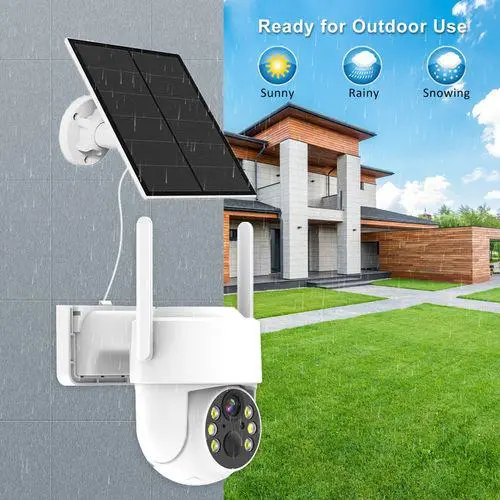
    Ever been somewhere so remote that even phone signals fear to tread? Now imagine needing security there. Scary, right? Well, not anymore Wireless outdoor security camera solar are solar-powered security cameras are the ultimate guardians of off-grid living. Whether it’s a rural cabin, a construction site, or a barn in the middle of nowhere, these devices have your back.

    Wearable Tech for Pet Monitoring and Tracking

    Why Go Solar for Security?

    Freedom from Power Outages

    No wires? No worries. Solar security cameras sip energy straight from the sun, making them perfect for places without electricity.

    Low Maintenance

    Forget rewiring or battery swapping. Once set up, most solar-powered cams are a “set it and forget it” deal.

    Best VR Headsets for an Immersive Experience

    Ideal for Remote Areas

    Off-the-Grid Living

    Wireless outdoor security camera solar, whether you’re camping, farming, or off-roading, solar security cameras keep watch even where the power grid doesn’t go.

    Wildlife Monitoring

    Want to see who (or what) is lurking around your property at night? These cameras capture it all from deer to trespassers.

    Top Features to Look For

    Long Battery Life

    Look for cameras with large-capacity rechargeable batteries. You want power even when the sun isn’t shining.

    How Wearable Technology is Transforming Remote Work

    Motion Detection Alerts

    Smart sensors notify you in real-time because what’s the point if you only find out after something goes wrong?

    Night Vision

    No one’s robbing you in broad daylight. Ensure your camera can see clearly at night, preferably with infrared.

    How to Maintain and Clean Your Solar Panels for Maximum Output

    Two-Way Audio

    Shout out a warning or talk to a delivery guy straight through the app!

    Best Solar Security Camera Picks

    1. Reolink Argus 3 Pro

    Reolink Argus 3 Pro
    Reolink Argus 3 Pro
    • Why it’s great: Crisp video, smart alerts, and no hub required.
    • Bonus: Works with Alexa and Google Assistant.

    2. Ring Stick Up Cam Solar

    Ring Stick Up Cam Solar
    Ring Stick Up Cam Solar
    • Why it rocks: Easy setup, seamless Ring ecosystem.
    • Downside: Needs strong Wi-Fi.

    3. Arlo Essential XL Spotlight

    Arlo Essential XL Spotlight
    Arlo Essential XL Spotlight

    Installation Tips

    Find the Sun

    Wireless outdoor security camera solar, position your solar panel where it catches max sunlight ideally south-facing if you’re in the northern hemisphere.

    Elevate It

    Mount your cam high to avoid tampering and to get a wider view.

    Remote Access is a Game-Changer

    Use your phone to peek into your property anytime. Most cameras offer free apps with live view, playback, and settings control.

    Security Without Monthly Bills

    Some models come with local SD card storage no need for pricey cloud plans.

    Conclusion: Off-Grid, On-Guard

    Solar-powered security cameras are like watchdogs that don’t need food or walks. Whether you’re living off-grid or just protecting a faraway shed, these devices are cost-effective, eco-friendly, and reliable. Stay safe, even when you’re far from civilization.

    FAQs: Best Solar-Powered Security Cameras for Remote Areas

    1. Do solar security cameras work during winter?
    Yes! As long as they get sunlight even weak sunlight they’ll charge. Battery backup keeps them running.

    2. Can I use them without Wi-Fi?
    Some models support SD cards for offline recording, but you’ll miss real-time access and alerts.

    3. Are solar cameras waterproof?
    Most good ones are weatherproof (IP65 or above), perfect for rain, snow, and dust.

    4. How long do solar cameras last?
    With proper care, most last 2–5 years or more. The solar panel and battery might need replacing eventually.

    5. Can they work at night?
    Absolutely. Look for infrared or spotlight night vision for clear footage even in pitch dark.

  • How to Set Up a DIY Home Surveillance System on a Budget

    How to Set Up a DIY Home Surveillance System on a Budget

    Introduction

    Why Pay More to Feel Safe?

    DIY camera system, ever put you in a position thought, “I wish I had security cameras at home, but it’s just too expensive”? You’re not alone. The good news? You don’t need a fat wallet to protect your home. With a little DIY spirit and some smart tech, you can build a budget-friendly home surveillance system that keeps your peace of mind intact.

    What Is a DIY Home Surveillance System?

    Simple Definition

    It’s just a security setup that you create and install yourself no pros, no high bills.

    Why Go DIY?

    DIY camera system, will make you save money, customize everything, and learn a few tech tricks along the way.

    Planning: Know What You Need to Watch

    Indoors or Outdoors?

    Decide where you need coverage. Think entrances, backyards, or even that shady garage corner.

    Wired vs Wireless

    • Wired = more stable, but trickier to install.
    • Wireless = easier, portable, and great for renters.

    Budget Basics: What You’ll Need

    1. Cameras

    affordable cameras
    affordable cameras

    Look for budget IP cameras with motion detection and night vision. Brands like Wyze, TP-Link, and Blink are solid.

    2. Storage

    cloud Storage
    cloud Storage

    Use cloud storage or go with a microSD card in each cam if you want to avoid monthly fees.

    3. Wi-Fi Connection

    Wi-Fi Connection
    Wi-Fi Connection

    A good router means smoother streaming. A weak signal? No footage. Simple as that.

    4. Power Sources

    Power Sources
    Power Sources

    Opt for USB-powered cameras or battery-operated ones. Solar panels? Even better for outdoor cams.

    Korean Celebrities Who Have Pursued Higher Education

    Setup: Step-by-Step Like a Pro

    Step 1: Pick the Right Spots

    Corners give wider views. Mount cameras above door frames or hidden in everyday items (hello, flowerpot cam!).

    Step 2: Mount and Secure

    Use adhesive mounts or basic drills. Make sure the angle covers the target area no pointing at the wall!

    Step 3: Connect to Wi-Fi

    Follow app instructions. Most cameras sync in under 5 minutes.

    Step 4: Test Everything

    Walk by the camera. Does it record? Is the image clear? If yes, you’re golden.

    AI-Powered Freelancing: How to Use AI to Boost Your Freelance Hustle in 2025

    Smart Add-Ons (If You Have Some Extra Cash)

    Motion Sensors

    Pair them with cameras for real-time alerts.

    Smart Lights

    These light up when motion is detected great for driveways.

    Maintenance: Keep It Running

    Clean the Lens

    Dust = blurry footage. Wipe it down monthly.

    Check Battery Levels

    Don’t let your camera die just when you need it.

    Title: The Most Iconic Hairstyles of Korean Movie Stars That Made Headlines

    Final Thoughts: Security Doesn’t Have to Break the Bank

    You don’t need a $500 system to feel safe. With today’s tech, even $100 can get you a solid DIY setup. Think of it like setting up your home’s digital watchdog loyal, alert, and always on duty.

    FAQs: DIY Surveillance Questions Answered

    1. Can I use my old smartphone as a security camera?

    Yes! Apps like AlfredCamera turn old phones into real-time streaming cameras.

    2. Is cloud storage necessary?

    Nope. Many budget cameras let you save footage on a microSD card.

    3. Will my cameras work without internet?

    Most won’t stream live, but they can still record locally if supported.

    4. What’s the best place to hide a camera?

    Common spots include bookshelves, behind plants, or on high shelves.

    5. How many cameras do I really need?

    Start with 2–3 for key entry points. You can always expand later.

  • AI-Powered Surveillance Systems: How They Improve Home Security

    Introduction

    Welcome to the Future of Home Security

    AI home security cameras, ever feel like traditional security systems just don’t cut it anymore? You’re not alone. With crime getting smarter, home security had to level up and it has, thanks to AI.

    What Is AI in Home Surveillance?

    AI in Home Surveillance
    AI in Home Surveillance

    Artificial Intelligence (AI) in surveillance means your cameras and systems can think, not just record. Imagine your camera identifying faces, detecting motion, and alerting you if something feels “off.” That’s not sci-fi; it’s real life now.

    Say Goodbye to False Alarms

    Tired of your dog triggering motion alerts? AI knows the difference between a burglar and a squirrel. That means fewer false alarms and more peace of mind.

    Real-Time Threat Detection

    Real-Time Threat Detection
    Real-Time Threat Detection

    AI-powered cameras spot unusual behavior faster than any human ever could. Suspicious movement? You get an instant alert. That’s proactive, not reactive.

    Smart Facial Recognition

    Smart Facial Recognition
    Smart Facial Recognition

    AI systems can recognize family members, delivery folks, or unwanted guests. It’s like your own digital doorman without the salary.

    Integration with Smart Home Devices

    These systems don’t work alone. AI surveillance syncs with your lights, alarms, and even voice assistants. Someone lurking outside? Lights flash, alarms sound automatically.

    Remote Access from Anywhere

    AI home security cameras, on vacation or just at the grocery store? Use your phone to check in. AI surveillance offers real-time streaming and alerts wherever you are.

    The Future of Wearable AI Assistants in Daily Life

    Cloud Storage and Easy Playback

    Forget rewinding tapes. AI tags key moments like movement or sounds so you can jump straight to the action.

    Two-Way Audio for Real-Time Talk

    Two-Way Audio for Real-Time Talk
    Two-Way Audio for Real-Time Talk

    Hear a noise outside? Speak through your system’s speaker. Whether it’s a thief or the pizza guy, you’re always in control.

    License Plate Recognition

    Yup, some systems even read license plates. Know who’s coming and going, even before they reach your door.

    AI Business Ideas: How to Ride the AI Wave and Launch Your Dream Venture

    Data Encryption and Cybersecurity

    Worried about hackers? Good. But modern AI security systems come with encryption and regular updates to keep your data safe.

    AI Business Ideas: How to Ride the AI Wave and Launch Your Dream Venture

    Customizable Alerts

    Don’t want to know every time a cat walks by? Set specific zones, times, or behaviors that trigger alerts. It’s your system, your rules.

    Environmental Awareness

    AI doesn’t just watch for people. It can detect smoke, glass breaking, or even rising water. Home security just got smarter.

    Affordable and Scalable

    Think AI is expensive? Think again. Prices have dropped, and many systems are modular. Start small and expand as needed.

    Easy Installation

    Most systems are plug-and-play. No need to drill walls or run wires all over. Set it up in under an hour.

    Final Thoughts

    AI-powered surveillance is like having a super-intelligent guard who never sleeps. It’s smarter, faster, and far more reliable than traditional setups. If you value peace of mind, it’s time to let AI watch your home so you don’t have to.

    Title: AI Automation for Businesses: How to Work Smarter, Not Harder

    FAQs About AI-Powered Surveillance

    1. Can AI surveillance systems tell the difference between people and animals?
    Yes! AI uses smart motion detection and shape recognition to tell if it’s a person, pet, or passing car.

    2. Is facial recognition safe and legal to use at home?
    Generally, yes. As long as you’re using it on private property and not sharing data, it’s totally legal and secure.

    3. Do AI systems need an internet connection to work?
    Some features like cloud storage and remote access do, but many have offline functions too.

    4. What happens if there’s a power cut?
    Many systems come with backup batteries or can be connected to an uninterruptible power supply (UPS).

    5. Are these systems beginner-friendly?
    Absolutely. Most come with user-friendly apps and guides to walk you through setup and use.

  • Guide to Smart Pet Monitoring Cameras for Home Security

    Guide to Smart Pet Monitoring Cameras for Home Security

    Okay, buckle up, pet parents and home security buffs! Let’s dive into the wonderful world of pet monitoring (keeping a digital eye on our furry, scaly, or feathered family members while also keeping our homes safe and sound). It’s like having a superhero gadget, but instead of a cape, it has a lens and Wi-Fi!

    Ever wondered what your mischievous cat gets up to when you’re not around? Or maybe you want to make sure your pup isn’t feeling too lonely during your workday? Enter the realm of smart pet monitoring cameras. These aren’t just your run-of-the-mill security cams; they’re specifically designed with our beloved animal companions in mind, often packing in features that make checking on them a breeze and boosting your home security system in the process.

    Why Get a Smart Pet Cam Anyway? The Paw-sitive Perks

    So, why should you even consider adding one of these gadgets to your tech arsenal? Well, the benefits are as plentiful as the types of treats your pet devours!

    Keeping a Close Eye on Your Furry Friends

    Let’s be honest, our pets are masters of the unexpected. From scaling furniture like tiny mountaineers to conducting solo sock-puppet shows, their antics can be both hilarious and sometimes a little worrying. A pet camera with remote access lets you peek in on them anytime, anywhere. Feeling anxious about leaving them alone? Just whip out your phone and BAM! Instant reassurance.

    Two Birds, One Stone: Pet Monitoring and Home Security

    Here’s where the magic truly happens. These cameras aren’t just for watching whiskers twitch. They’re also fantastic additions to your overall home security setup. Think about it: a camera pointed at your living room keeps an eye on both Fluffy and any unexpected human visitors. It’s like having a double agent, but way cuter (usually!).

    The Future of AI-Powered Assistants in Smart Homes

    Catching Those Hilarious Pet Moments

    Who hasn’t wished they could record those unbelievably funny things their pets do? With features like video recording and sometimes even photo capture, you can finally immortalize those moments of pure pet genius (or utter chaos!). These memories are priceless, trust me!

    Peace of Mind, Delivered Digitally

    Perhaps the biggest benefit is the sheer peace of mind these cameras offer. Knowing you can check on your pet and your home at any time can significantly reduce stress and worry, whether you’re at work, running errands, or even on vacation.

    What Makes a Pet Cam “Smart”? Key Features to Look For

    Now, not all pet cameras are created equal. Some are smarter than others, offering a range of features that go beyond just showing you a live feed. So, what should you be on the lookout for?

    Crystal-Clear HD Video Quality

    Let’s start with the basics. You want to actually see what’s going on, right? High-definition video ensures a clear and detailed picture of your pet and their surroundings. Look for cameras that offer at least 720p, but 1080p or even higher is even better for capturing those tiny details.

    Two-Way Audio: Talk to the Animals (and Maybe Intruders!)

    This feature is a game-changer. Two-way communication allows you to not only hear what’s happening but also speak to your pet through the camera’s built-in microphone and speaker.1 It’s perfect for comforting a distressed pet or even telling them to get off the counter (though they might conveniently “not hear” you!). This can also be a deterrent for any unwanted human guests.

    Night Vision: Seeing in the Dark

    Our pets don’t always operate on our schedule. They might be most active at dawn or dusk, or even during the night. A camera with good night vision ensures you can still see what they’re up to even in low-light conditions. Look for infrared (IR) night vision for clear black and white images.

    Motion Detection and Activity Alerts

    Want to know when your pet is on the move? Motion detection triggers the camera to start recording when movement is detected and can send you real-time alerts to your smartphone. Some advanced cameras even offer customizable motion zones, so you only get alerts for specific areas. This is also crucial for home security, as it can notify you of any unexpected activity.

    Pan, Tilt, and Zoom (PTZ) Capabilities

    For those with particularly active pets or larger spaces, a camera with pan, tilt, and zoom (PTZ) capabilities is a lifesaver. This allows you to remotely control the camera’s view, panning left and right, tilting up and down, and zooming in to get a closer look – all from your smartphone app.

    Treat Dispensing: The Ultimate Pet Pleaser

    Imagine being able to reward your good boy or girl even when you’re not home! Some smart pet cameras come with built-in treat dispensers that you can control remotely via an app.4 It’s a fantastic way to reinforce positive behavior or just give them a little surprise during the day.

    Cloud Storage and Local Storage Options

    Where are all those adorable (and sometimes not-so-adorable) video clips going to be stored? Most smart pet cameras offer cloud storage options for a monthly fee, allowing you to access recordings from anywhere. Some also offer local storage via an SD card, which can be a more cost-effective long-term solution. Consider which option best suits your needs.

    Integration with Other Smart Home Devices

    In today’s interconnected world, it’s a huge plus if your pet camera can play nicely with other smart home devices like Amazon Alexa or Google Assistant. This can allow for voice control, integration with smart displays, and even setting up automated routines.

    User-Friendly Mobile App

    The heart of any smart device is its app. A well-designed, intuitive mobile app is essential for easy setup, live viewing, controlling camera features, and reviewing recordings. Look for apps that are reliable and regularly updated.

    AI in Predictive Supply Chain Analytics for Demand Planning

    Top Considerations When Choosing Your Smart Pet Cam

    With so many options out there, how do you choose the right one for you and your furry (or scaly, or feathered) pal? Here are some key factors to consider:

    Your Specific Needs and Budget

    Think about what you need the camera for primarily. Is it just for checking in on your pet, or is home security your top priority? Your budget will also play a significant role in your decision.

    Your Pet’s Personality and Habits

    A treat-dispensing camera might be perfect for a food-motivated dog, but less appealing to a cat. Consider your pet’s personality and typical behavior when choosing features.

    Placement and Wi-Fi Connectivity

    Where do you plan to place the camera? Ensure it’s within range of your Wi-Fi network and has a stable connection. Some cameras are indoor-only, while others are designed for outdoor use.

    Privacy and Security Features

    Since these cameras are connected to your home network, security is paramount. Look for cameras with strong encryption and privacy settings to protect your data.

    Ease of Setup and Use

    Nobody wants to spend hours trying to set up a new gadget. Choose a camera that is relatively easy to install and has a user-friendly app.

    Popular Smart Pet Camera Brands and Features

    While I can’t recommend specific brands, I can tell you about some common features offered by popular manufacturers in the pet surveillance and home security camera market. You’ll often find brands that focus on either dedicated pet cameras with interactive features or broader home security cameras that also work well for pet monitoring.

    Brands Known for Pet-Centric Features

    These brands often emphasize features like treat dispensing, laser pointers, and interactive play options alongside standard monitoring features.

    Brands Strong in Home Security with Pet-Friendly Functionality

    These brands typically offer robust security features like advanced motion detection, facial recognition (sometimes), and seamless integration with broader security systems, while still being excellent for keeping an eye on your pets.

    Setting Up Your Smart Pet Cam for Optimal Security and Monitoring

    Once you’ve chosen the perfect camera, proper setup is key.

    Strategic Camera Placement

    Think about the areas you want to monitor most, both for your pet’s well-being and for security purposes. High-traffic areas, pet feeding stations, and entryways are good places to start.

    Ensuring a Stable Wi-Fi Connection

    A weak Wi-Fi signal can lead to choppy video and missed alerts. Ensure your camera is within range of your router and consider using a Wi-Fi extender if necessary.

    Utilizing Motion Detection Zones

    Customize your motion detection zones to focus on specific areas and reduce false alarms.

    Regularly Updating Firmware and Software

    Keep your camera’s firmware and the app on your phone updated to ensure optimal performance and security.

    Smart Pet Cams: More Than Just a Gadget

    In conclusion, smart pet monitoring cameras are more than just a fun way to check in on your furry, scaly, or feathered family members. They offer a powerful combination of pet care and smart home security, providing peace of mind, capturing precious moments, and adding an extra layer of protection to your home. By considering your specific needs and the key features available, you can find the perfect smart pet cam to keep both your loved ones and your home safe and sound. It’s like having a virtual guardian angel with a wagging tail (sometimes!).

    Frequently Asked Questions (FAQs)

    1. Can I use a regular security camera to monitor my pets? While you can, dedicated pet cameras often have features specifically designed for pets, like treat dispensers and two-way audio for comforting them. Regular security cameras might lack these interactive elements.
    2. Is it safe to talk to my pet through the camera when I’m not home? Yes, the two-way audio feature is generally safe and can be comforting for your pet. However, avoid startling them with loud or sudden noises through the speaker.
    3. How much data does a pet camera typically use? Data usage depends on the video quality and how often the camera is streaming or recording. Higher resolutions will use more data. Check your camera’s settings and your internet plan to avoid overages.
    4. What happens if the Wi-Fi goes out? Will the camera still record? Most smart cameras rely on Wi-Fi for live streaming and cloud storage. If the Wi-Fi goes down, these features won’t work. Some cameras with local storage (SD card) might continue to record locally, but you won’t be able to access the live feed remotely.
    5. Are smart pet cameras easy to install? Generally, yes. Most smart pet cameras are designed for easy plug-and-play setup. You’ll typically need to download a mobile app, connect the camera to your Wi-Fi network, and follow the in-app instructions.
  • Best Smart Cameras with AI Facial Recognition for Home Security

    Best Smart Cameras with AI Facial Recognition for Home Security

    Introduction

    Looking to level up your home security? You’ve come to the right place. With the rise of smart cameras powered by AI facial recognition, protecting your home has never been smarter or easier. Imagine a camera that not only detects motion but knows if it’s your kid arriving from school or a stranger lurking around. That’s the magic of AI.

    Why Go for Smart Cameras with Facial Recognition?

    AI-Powered Safety in Real-Time

    These aren’t your average motion-detecting cameras. AI facial recognition can identify familiar faces and alert you when it sees someone unrecognized. No more false alarms over squirrels or your neighbor’s cat.

    Personalized Alerts

    Want to know when your kids get home but ignore every time your partner walks in? AI makes that possible. You get smart alerts tailored to specific people.

    What to Look for in a Smart Camera

    1. Facial Recognition Accuracy

    Look for cameras that learn over time and improve accuracy with every use. The better the facial dataset it builds, the smarter it gets.

    2. Secure Cloud Storage

    You’ll want encrypted cloud storage or local storage with privacy in mind. No one wants their footage floating around the internet.

    3. Two-Way Audio

    This lets you talk to whoever’s at your door. Whether it’s a delivery guy or a sneaky porch pirate, your voice can be heard loud and clear.

    4. Integration with Smart Home Devices

    Is it compatible with Alexa, Google Assistant, or Apple HomeKit? Integration makes your system more flexible and fun.

    IoT-Driven Solutions for Post-Harvest Crop Monitoring

    Top Picks: Smart Cameras That Know Faces

    1. Google Nest Cam IQ Indoor

    Google Nest Cam IQ Indoor
    Google Nest Cam IQ Indoor

    It’s a premium camera with facial recognition that gets better over time. Paired with Nest Aware, it learns who’s who and sends custom alerts.

    2. Arlo Pro 5S

    Arlo Pro 5S
    Arlo Pro 5S

    AI in Enhancing Supply Chain Resilience and Risk Management

    This one stands out with crystal-clear 2K video, smart alerts, and built-in AI that distinguishes people, packages, and even vehicles.

    3. Eufy Security SoloCam S220

    Eufy Security SoloCam S220
    Eufy Security SoloCam S220

    Smart Irrigation Controllers: Reducing Water Usage in Agriculture

    No monthly fees? Yes, please. Eufy stores footage locally and comes with advanced facial recognition perfect for budget-conscious homeowners.

    4. Amazon Blink Outdoor with Alexa Guard

    Amazon Blink Outdoor with Alexa Guard
    Amazon Blink Outdoor with Alexa Guard

    Affordable and integrates with Alexa. While its facial recognition isn’t as deep as others, it’s ideal for basic AI-driven monitoring.

    5. Apple HomeKit Secure Video (via Logitech Circle View)

    Apple HomeKit Secure Video (via Logitech Circle View)
    Apple HomeKit Secure Video (via Logitech Circle View)

    Privacy-first users, this one’s for you. Apple’s end-to-end encryption and facial recognition powered by your iPhone make this a solid option.

    Setup: Easier Than You Think

    Most of these cameras take less than 10 minutes to set up. Connect to Wi-Fi, install the app, position the camera, and boom you’re live.

    Connecting with Your Higher Self: Techniques for Tapping into Your Inner Wisdom and Guidance

    Real-World Uses That Make a Difference

    Monitoring Deliveries

    Get notified who dropped the package not just that something moved.

    Watching Over Elderly Family Members

    Set alerts for their caregivers and get notified if an unknown face shows up.

    How AI Facial Recognition Works (Simplified)

    The camera captures a face, breaks it into data points (like eye distance and jawline), and compares it to its saved profiles. If it finds a match, it tells you who it is. If not, you get an alert.

    Privacy Concerns? Let’s Talk

    It’s normal to worry about privacy. Most top-rated cameras now come with strong encryption, opt-in face recognition, and local storage options to keep your data safe.

    See the Benefit of Fruits to your Health

    AI Smart Cameras vs Traditional Security Systems

    FeatureTraditional SystemsAI Smart Cameras
    Facial Recognition
    Smart Alerts
    Remote AccessLimitedFull Access
    IntegrationMinimalHigh

    Battery Life and Power Options

    Some smart cameras are battery-operated, while others plug in. Choose what works for your space. Outdoor cameras often go solar now eco and easy.

    Weather Resistance: For Outdoor Use

    Planning to install it outside? Check for IP ratings like IP65 or IP67. They mean your camera can handle dust, rain, and snow.

    Should You Pay for a Subscription?

    Some cameras offer advanced features only through paid plans (like Nest Aware or Arlo Secure). If you want rich analytics, face ID history, and extended storage, it might be worth the monthly fee.

    Conclusion

    The future of home security is here, and it’s wearing a digital face. Whether you’re tech-savvy or just want something simple that works, smart cameras with AI facial recognition offer unmatched peace of mind. It’s like having a security guard who never sleeps and knows your whole family by face.

    FAQs

    1. Can facial recognition cameras work at night?

    Yes, most have infrared night vision or color night vision to work around the clock.

    2. Are these cameras safe from hackers?

    Top brands offer end-to-end encryption, two-factor authentication, and secure cloud storage to protect your data.

    3. How many faces can these cameras recognize?

    Depends on the brand. Some recognize 10-30 faces, while others go up to 100+ profiles.

    4. Can I disable facial recognition if I change my mind?

    Absolutely. Most apps let you turn off facial recognition in the privacy settings anytime.

    5. Do I need an internet connection for them to work?

    Yes, for full functionality like cloud alerts and remote viewing. Some offer local recording if Wi-Fi drops.

  • Smart Home Security: Tips for Protecting Your Home

    Introduction

    Imagine coming home after a long day, and with just a tap on your phone, your lights turn on, your security system disarms, and your thermostat adjusts to the perfect temperature. Sounds futuristic, right? Welcome to the era of smart homes! While smart home technology makes life easier, it also introduces new security risks. Cybercriminals and burglars are constantly evolving their tactics, making it crucial to stay ahead with robust smart home security measures.

    This article explores effective ways to protect your smart home from intrusions, cyber threats, and system failures. From setting up strong passwords to investing in advanced security systems, we’ve got you covered with the best tips to keep your home safe and secure.

    Why Smart Home Security Matters

    The convenience of smart home devices comes with potential vulnerabilities. Hackers can exploit weak networks, cameras can be breached, and even your smart door locks can be bypassed. A single security lapse can expose your personal data or, worse, compromise your home’s physical safety. By understanding these risks and implementing effective security measures, you can safeguard your smart home from threats.

    Essential Smart Home Security Tips

    1. Use Strong and Unique Passwords

    One of the simplest yet most effective ways to protect your smart home is to use strong, unique passwords for each device and account. Avoid common passwords like “123456” or “password.” Instead, opt for complex combinations of letters, numbers, and symbols. Consider using a password manager to store and generate secure credentials.

    The American Revolution’s Impact on European Politics

    2. Enable Two-Factor Authentication (2FA)

    Enable Two-Factor Authentication (2FA)
    Enable Two-Factor Authentication (2FA)

    The Rise of Fascism and Nazism: A Deep Dive into the Origins and Impact

    Many smart home devices and apps offer two-factor authentication (2FA), which adds an extra layer of security. This requires a second verification step, such as a text message code or an authentication app, making it harder for hackers to gain access to your accounts.

    3. Keep Your Software and Firmware Updated

    Manufacturers regularly release updates to fix security vulnerabilities. Ensure your smart home devices and router firmware are always up to date. Enable automatic updates if available, so you don’t have to worry about missing critical patches.

    4. Secure Your Wi-Fi Network

    Your Wi-Fi network is the backbone of your smart home, making it a prime target for hackers. Follow these steps to secure your network:

    • Change the default router name and password.
    • Enable WPA3 or WPA2 encryption.
    • Disable remote access if not needed.
    • Set up a separate guest network for visitors.

    5. Invest in a Firewall and VPN

    Invest in a Firewall and VPN
    Invest in a Firewall and VPN

    A firewall acts as a barrier between your home network and potential cyber threats. Additionally, using a Virtual Private Network (VPN) can encrypt your internet traffic, making it more difficult for hackers to intercept data from your smart devices.

    6. Monitor Your Smart Home Devices Regularly

    Monitor Your Smart Home Devices Regularly
    Monitor Your Smart Home Devices Regularly

    Check your smart home dashboard or app frequently to review device activity and identify any unusual behavior. If a device is acting suspiciously or suddenly stops working, investigate immediately.

    History Reborn: Teaching Methods to Hook Your Students

    7. Be Cautious with Third-Party Apps and Integrations

    Many smart home devices offer integrations with third-party apps and services. Only use reputable apps with strong security protocols. Avoid granting excessive permissions that may expose your data.

    8. Disable Unused Features and Devices

    If your smart device has features you don’t use like voice activation or remote access disable them. The fewer entry points available, the less risk of unauthorized access.

    9. Set Up Smart Locks and Cameras Wisely

    Set Up Smart Locks and Cameras Wisely
    Set Up Smart Locks and Cameras Wisely

    Setting the Record Straight: Historians’ Biggest Mistakes

    Smart locks and cameras are great security tools, but they need proper configuration:

    • Choose high-quality brands with strong encryption.
    • Avoid placing security cameras where they can be easily tampered with.
    • Use a secure app to control and monitor your locks remotely.

    10. Create Smart Home Automation Routines

    Use automation to improve security. For instance:

    • Set your lights to turn on automatically when motion is detected.
    • Schedule random lighting patterns while you’re away to simulate occupancy.
    • Enable geofencing so your security system activates when you leave home.

    The History of Money: From Barter to Cryptocurrency

    Conclusion

    Smart home technology brings unparalleled convenience, but it also requires vigilant security practices. By following these tips using strong passwords, securing your Wi-Fi, monitoring your devices, and leveraging automation you can protect your home from cyber threats and unauthorized access.

    The key is to stay proactive and keep updating your security measures as technology evolves. A well-secured smart home not only enhances convenience but also gives you peace of mind, knowing that your home and loved ones are safe.

    The Rise of Nationalism in the 19th Century

    FAQs

    1. Can smart home devices be hacked?

    Yes, smart home devices can be hacked if they have weak security settings. Using strong passwords, enabling two-factor authentication, and regularly updating firmware can significantly reduce the risk.

    2. What is the safest smart lock to use?

    The safest smart locks offer features like AES encryption, two-factor authentication, and integration with reputable security systems. Brands like August, Schlage, and Yale are known for their strong security measures.

    3. Should I connect all my smart devices to the same Wi-Fi network?

    It’s best to separate smart home devices from personal devices by using a dedicated IoT network. This limits exposure if one device gets compromised.

    4. How can I tell if my smart home has been hacked?

    Unusual device activity, unexpected changes in settings, and slow performance may indicate a security breach. Regularly check device logs and network activity for anomalies.

    5. Is professional monitoring worth it?

    Professional monitoring services add an extra layer of security by providing 24/7 surveillance and emergency response. It’s a great option if you want enhanced protection and peace of mind.

  • The Importance of Home Security: Why Invest in Surveillance Systems?

    The Importance of Home Security: Why Invest in Surveillance Systems?

    Home security has become a top priority for many homeowners, and surveillance systems play a crucial role in ensuring safety.

    The Importance of Home Security: Why Invest in Surveillance Systems?

    In light of rising crime rates and rapid technological progress, installing a surveillance system—such as those discussed in How to Choose the Best CCTV Cameras for Your Home or Businesshas become a wise and proactive choice. Here are the key reasons why:

    1. Crime Deterrence

    One of the most significant benefits of surveillance cameras is their ability to deter crime. Burglars are less likely to target a home equipped with visible security cameras. Knowing they are being recorded discourages criminals from attempting break-ins or vandalism.

    2. Real-Time Monitoring

    Modern surveillance systems allow homeowners to monitor their property in real-time from anywhere using smartphones or computers. This feature is especially useful for people who travel frequently or want to keep an eye on babysitters, pets, or package deliveries.

    3. Evidence Collection

    Evidence Collection for Home Security

    In case of a break-in, having recorded footage can serve as crucial evidence for law enforcement. High-definition cameras capture clear images of intruders, helping authorities identify suspects and increasing the chances of recovering stolen items.

    4. Insurance Benefits

    Installing a surveillance system can lower home insurance premiums. Insurance companies often offer discounts to homeowners who take proactive security measures. Additionally, in the event of a claim, video evidence can support your case and speed up the claims process.

    5. Peace of Mind

    Knowing that your home is protected by a surveillance system provides a sense of security. Whether you’re at work, on vacation, or asleep at night, surveillance cameras help you feel more in control of your home’s safety.

    6. Integration with Smart Home Devices

    Many surveillance systems can be integrated with smart home technology. Features like motion detection, remote access, and smart alarms enhance home security, making it easier to respond to potential threats.

    Conclusion

    Investing in a surveillance system is a practical step toward securing your home, family, and valuables. With the added benefits of crime prevention, real-time monitoring, and insurance savings, it’s a worthwhile investment for any homeowner.

  • How to Choose the Best CCTV Cameras for Your Home or Business

    How to Choose the Best CCTV Cameras for Your Home or Business

    How to Choose the Best CCTV Cameras for Your Home or Business

    Read More: DIY Surveillance System Installation: A Step-by-Step Guide

    Investing in a CCTV system is a crucial step toward enhancing security. However, with so many options available, choosing the right cameras can be overwhelming. Here’s a guide to help you make the best decision.

    1. Determine Your Security Needs

    Before purchasing a CCTV system, assess your security requirements. Do you need cameras for indoor or outdoor surveillance? Are you monitoring a small office or a large property? Identifying your specific needs will help you choose the right features.

    2. Choose Between Wired and Wireless Cameras

    • Wired Cameras: Provide a stable connection but require professional installation. Ideal for long-term security.
    • Wireless Cameras: Easier to install and offer remote access via Wi-Fi. However, they may be susceptible to interference.

    3. Consider Camera Resolution

    The higher the resolution, the clearer the footage. Choose at least 1080p (Full HD) for general use. If you need detailed images, opt for 4K Ultra HD cameras. High-resolution footage is especially useful for identifying intruders or license plates.

    4. Look for Night Vision Capabilities

    Look for Night Vision Capabilities

    Read More: How to Integrate Your Surveillance System with Smart Home Devices

    A good CCTV camera should offer infrared (IR) night vision or low-light sensors to capture clear images in the dark. This feature is essential for 24/7 surveillance.

    5. Check for Motion Detection and Alerts

    Advanced cameras come with motion sensors that trigger recordings and send instant alerts to your phone. This helps you respond quickly to potential threats without constantly monitoring live feeds.

    6. Opt for Weatherproof and Vandal-Resistant Cameras

    If placing cameras outdoors, ensure they have an IP65 or IP67 waterproof rating to withstand harsh weather. Vandal-resistant designs can also prevent tampering.

    7. Storage Options: Cloud vs. Local

    Storage Options: Cloud vs. Local

    Read More: How to Keep Your Surveillance System Secure from Hackers

    • Cloud Storage: Allows remote access but may require a subscription.
    • Local Storage (DVR/NVR): No monthly fees, but footage may be lost if the device is damaged.

    Conclusion

    Selecting the right CCTV cameras depends on your specific security needs. Focus on resolution, night vision, motion detection, and storage options to ensure maximum protection for your home or business.